MATLAB movie generation
Turning a sequence of figures into a video
There are a few ways to generate movies, videos, and animations with MATLAB. Below is one method that works with Linux/Ubuntu. There are two basic steps:
- In MATLAB, generate a sequence of images and save them as sequentially named files —
image-001.png,image-002.png, and so on. - In Linux, use a tool like
ffmpegoravconvto generate a movie file from the image sequence.
The code for these examples is at github.com/bsb808/matlabmovie.
Step 1: generating the image sequence
This example uses export_fig to generate a sequence of images in a movie directory.
% Example of creating a MATLAB animation
% For the example we will create a sequence of images, saving each image in
% the sequence to a file.  Then, externally (not in MATLAB) we will combine
% the images into a video file.

% Create a sequence of images
N = 100;
figure(1);
clf();
YY = [];
for ii = 1:N
    YY(ii) = rand();
    plot(1:ii,YY,'o-')
    xlabel('Distance [m]')
    ylabel('Force [N]')
    title(sprintf('Step %d',ii));
    grid on;
    axis([0 N 0 1])

    % Save each figure as a image file (.png)
    % The number of the image is included in the file name
    % Make sure there is a directory called "movie" in your current working
    % directory.
    fname = sprintf('movie/image-%05d',ii);
    % Saves each image at 72 dpi.  May want to adjust the resolution
    cmd = sprintf('export_fig %s -png -r72 -painters',fname);
    eval(cmd)
end
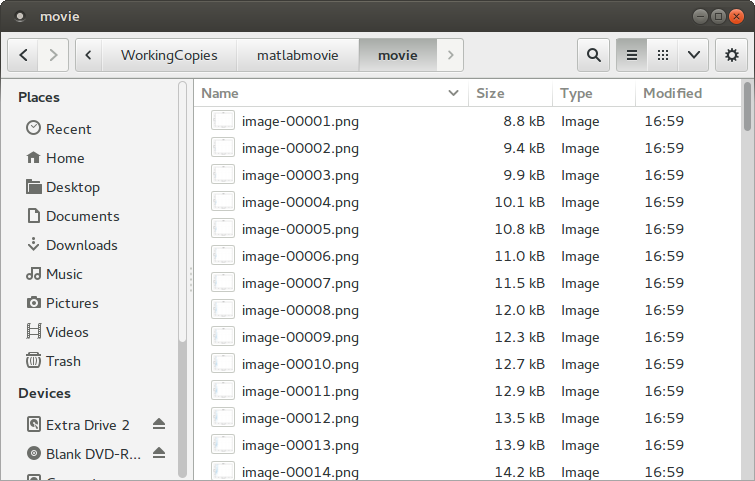
You should now have a directory full of images:
Step 2: generating the movie
The following command finds those images and converts them into out.mp4:
avconv -framerate 4 -i "./movie/image-%05d.png" -c:v libx264 -r 20 \
  -pix_fmt yuv420p -crf 20 \
  -vf "scale=trunc(iw/2)*2:trunc(ih/2)*2" out.mp4
The syntax is equivalent for ffmpeg. There are a number of cryptic options here.
If all goes well you have a movie:
The video quality here is not especially high. To improve it, adjust the image resolution in MATLAB, the command-line options to avconv/ffmpeg, or both.
Unlike a figure for a document, an animation of this kind reasonably carries its own title — note the title() call in the script above.